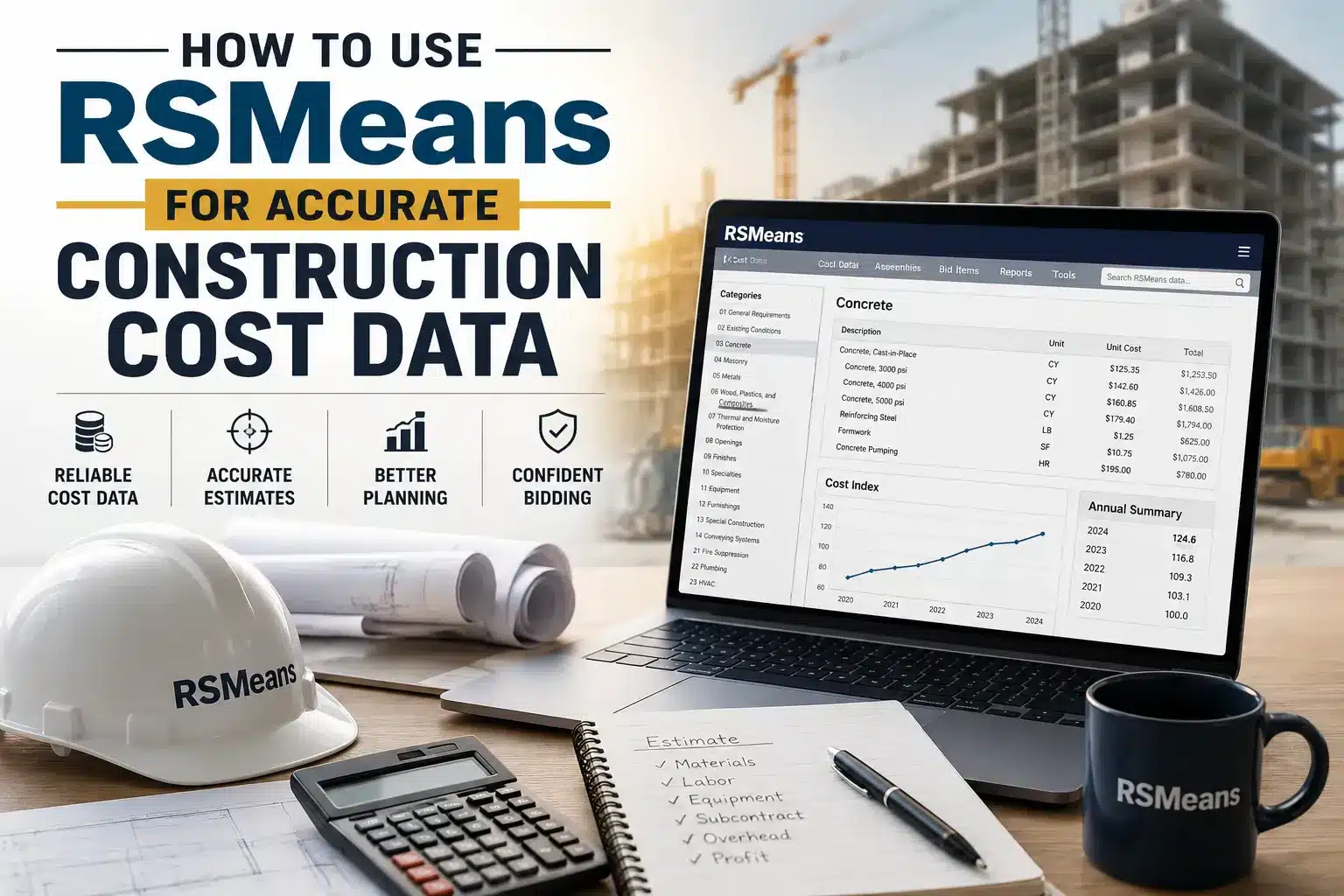
Using RSMeans for accurate construction cost data is now a basic need for every construction company. The failure of construction budgets is mostly due to bad data. Contractors predict prices based on two-year-old data. They ignore local labor rates or pull from the wrong column entirely.
RSMeans is used widely in all the regions of the USA. It is a cost database maintained by Gordian. It covers more than 97,000 unit cost line items. When used correctly, estimates built from RSMeans data come within 5–10% of actual project costs. This guide walks you through exactly how to use RSMeans accurately.
What RSMeans Is (and What It Isn’t)
RSMeans is a construction cost database, not a bidding platform.
This database helps extract unit costs according to the current local market rates. It involves:
- a square foot of drywall installed
- a linear foot of copper pipe
- a cubic yard of concrete placed
The data is organized using the CSI MasterFormat system. It is an industry-standard 50-division classification structure used across North American construction.
Every line item in RSMeans maps to a MasterFormat code. This is why the cost estimates match perfectly with the building plans and the list of tasks provided by the contractors.
RSMeans publishes annual updates each January. It also updates for volatile materials like lumber, steel, copper, and concrete. But it does not include:
- Equipment mobilization and demobilization to and from the job site
- Local permit fees or code compliance costs
- Land acquisition
- Architectural and engineering fees
- Project-specific site conditions
The Three Estimating Approaches
RSMeans supports three levels of estimating. It is a must to choose the right method for your stage to avoid wasting time.
1. Square Foot / Building Models
The least detailed method. The user inputs the building type and gross size. RSMeans generates a rough cost-per-square-foot result.
It is suitable for early feasibility studies.
Typical accuracy = ±20–25%.
2. Assembly Costs
It is a pre-grouped collection of unit costs. A footing assembly, for example, consists of subcategories of excavation, formwork, reinforcing, and concrete. Overhead and profit are already accounted for in the assembly columns.
It is suitable for schematic design or pre-design budget development.
3. Unit Price Estimates
This is the most detailed and accurate method. The user builds the estimate line-by-line from raw unit cost data. This is the standard method for bid preparation.
It is important to match the method to the project phase. Otherwise, you can contact a professional construction estimating company to handle your finances. It is better to spend a few dollars on estimating teams rather than wasting thousands of dollars on your guesses.
Reading a Unit Cost Line Item
Each RSMeans line item contains:
- 12-digit code.
- Description
- Assigned crew
- Daily output
- Labor hours per unit
- Unit of measure
- Two cost presentations:
- Bare Costs
- Total Including Overhead & Profit margin
Which Column Should You Use?
Use Bare Costs when you are the general contractor. Moreover, you plan to apply your own overhead and profit rates manually. It will give you full control over markup but requires you to add those layers yourself.
Use Total Including O&P when you need to show what a subcontractor will charge the GC. Or you need to generate a preliminary budget where you want an all-in number.
One more detail that attracts people is that equipment mobilization to the site is not in the equipment cost column. RSMeans equipment costs consist of daily rental plus hourly operating costs. Getting that crane or excavator to the site requires a separate line item.
Applying the City Cost Index Correctly
Every cost in RSMeans is according to the local rates. There is a specific national average rate. It is set to 100.
Costs in your specific project location may be higher or lower. RSMeans addresses this with the City Cost Index (CCI).
A city with a CCI of 112 runs 12% above average. One at 88 runs 12% below.
The correct formula:
(Your City’s CCI ÷ 100) × National Average Unit Cost = Localized Cost
Use component-level CCI adjustments for the estimates of about one million dollars.
RSMeans Data Online applies the CCI automatically when you enter a ZIP code. It is a must to verify which city was assigned to rural or suburban markets.
However, the mapped city may not accurately represent local labor rates. When in doubt, supplement with actual subcontractor quotes on the major trades.
Common Mistakes That Blow Estimates
Using an outdated edition. Every year, the material prices are changed, especially for structural steel, copper, and lumber.
Missing the line item description hierarchy. RSMeans organizes line descriptions in an organized way. A description like “8” thick, 3,000 psi” will not tell you the whole story. You need to look into the categories above it. Like Concrete In Place, Rebar… Walls. If you miss main headings, you will misunderstand what you are actually pricing.
Applying a composite CCI to an MEP-heavy project. For commercial building types, mechanical and electrical labor dominate the cost. Using a single location factor does not accurately consider high labor costs. For the project that requires heavy labor, you should use specific cost adjustments for each individual trade.
Treating RSMeans as a final number. Published data is not a substitute for local market intelligence. Local challenges create deviations that RSMeans cannot capture by design. Use RSMeans to frame the estimate, then validate major trades with real subcontractor quotes before committing.
Conclusion
RSMeans is one of the most trusted databases for generating accurate construction cost data. Read every line item through its full description and choose the right cost column. You can start with RSMeans Data Online’s 30-day free trial. Build an estimate against a real project scope. Compare with local subcontractor quotes. This practice is best to make your skills sharper.
Frequently Asked Questions
Q1: What is the RSMeans City Cost Index and how do I use it?
The RSMeans City Cost Index (CCI) is a location adjustment factor. Using 100 as the national average baseline. A city with a CCI of 112 means construction costs run 12% above the national average. To apply it, divide your city's CCI by 100 and multiply by the national average unit cost from RSMeans.
Q2: What is the difference between RSMeans Bare Costs and Total Including O&P?
Bare Costs are the raw expenses a contractor pays for material, labor, and equipment. It has no extra fees, profits, or markups. Total Including O&P adds overhead and profit to each component. Use Bare Costs when you plan to apply your own markup rates as a general contractor. Use Total Including O&P when representing what a subcontractor will charge.